

Microsoft Outlook
 Download Microsoft Outlook through Appnomo.com is Safe and Free..
Discover the good Apps to customize your Android and provide safe APK to download.
Download Microsoft Outlook through Appnomo.com is Safe and Free..
Discover the good Apps to customize your Android and provide safe APK to download.
- Category: Tools
- Updated: Oct 28, 2025
- Size: 426.8 MB
- Requirements: 9 and up
- Developers: Microsoft Corporation
The Description of Microsoft Outlook
Microsoft Outlook is a communication and information management tool from Microsoft. Originally designed for desktop email, calendaring, contacts, and task management, it holds a dominant position in enterprise office scenarios. With the rise of mobile internet, Microsoft expanded Outlook to mobile devices, launching Microsoft Outlook for iOS and Android. This app integrates email, time management, meeting reminders, and calendar collaboration into a comprehensive mobile productivity tool. As part of the Microsoft 365 ecosystem, Microsoft Outlook is more than just an email app; it serves as a mobile hub for modern workflows, offering significant practical value for users who handle large volumes of business emails, attend online meetings, and manage their work and personal schedules.
Screenshot



App Store Performance
Microsoft Outlook has consistently maintained a score of 4.6 to 4.8, making it one of the highest-rated office apps. Downloads have steadily increased, with particularly high penetration among businesses and educational institutions. Many users have commented that Microsoft Outlook offers a more professional experience than native system email, making it ideal for handling the frequent formal email exchanges required at work.
Features
Microsoft Outlook's core highlight is its Smart Inbox Management. The app automatically identifies high-priority emails from businesses, projects, meeting invitations, and internal communications, placing them in the Focused Inbox while other messages, such as advertisements or notifications, are placed in the Other Inbox. This intelligent categorization significantly reduces the loss of productivity caused by information clutter. For users who handle a high volume of email, it helps them quickly focus on core tasks and avoid missing important notifications.
Secondly, Microsoft Outlook's calendar system is highly integrated. Users can create appointment reminders in emails with a single click. The system intelligently identifies the time and location information and automatically syncs it to the calendar module. If users use Microsoft Teams or Skype for Business, the app can also directly generate online meeting links and add participants, making organizing meetings more streamlined. For scheduling across time zones, Outlook offers a time conversion feature, which is very useful for international team collaboration.
Microsoft Outlook also features professional-grade security. As part of Microsoft's enterprise service ecosystem, it supports encrypted transmission, remote device wipe, and enterprise security policy enforcement. For users with enterprise licenses, administrators can remotely block or wipe data through the Microsoft 365 backend if a device is lost or logged in unexpectedly. Furthermore, Microsoft Outlook supports fingerprint or facial recognition authentication, enhancing the security of mobile information access.
Pros And Cons
Pros
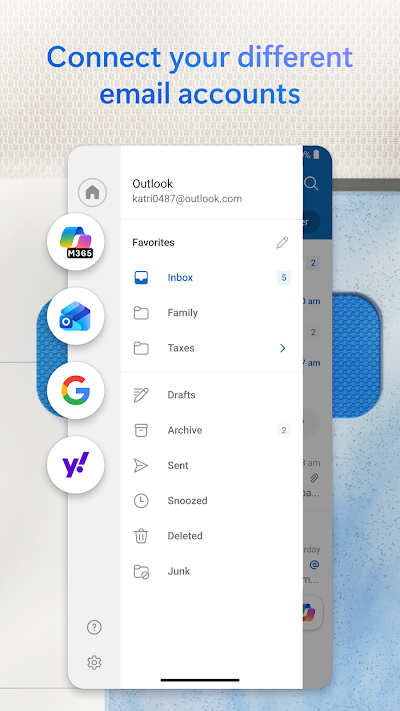
The first clear advantage of Microsoft Outlook is its professionalism. Compared to standard email tools, it not only allows for sending and receiving emails but also intelligently manages workflows, helping users schedule meetings, share files, and confirm tasks on their mobile devices. A second advantage is its deep integration with the Microsoft 365 ecosystem, extending its functionality far beyond simply being an email app. Whether it's approving shared documents, coordinating team meetings, or initiating meetings, everything can be accomplished with a single click in Outlook. Third, Microsoft Outlook's multi-account integration is stable and mature, making it very user-friendly for users who manage multiple mailboxes. Fourth, it offers excellent mobile attachment handling, allowing users to directly open Office documents, PDFs, and cloud storage links without having to jump into third-party apps for preview. Fifth, Microsoft Outlook's comprehensive security mechanisms make it suitable for large-scale enterprise deployment and unified management.
Cons
First, for novice users or those who only use it for personal email, Microsoft Outlook's complex interface can be challenging and require some initial adaptation. Second, while Outlook supports multi-mailbox management, synchronization speeds and email push notifications vary slightly between accounts with different service providers. For example, some users report slightly higher push latency for Gmail in Outlook. Third, because Outlook is positioned more towards business use, its overall system resource usage is slightly higher for users who only seek a lightweight email experience, and running in the background may increase battery and memory consumption.
Reviews
Overall, Microsoft Outlook represents the standard for modern enterprise communication tools. It transcends the mailbox as a mere message carrier and instead serves as the starting point for workflows. By integrating calendars, meetings, tasks, and documents, it creates a highly integrated mobile office experience. For users accustomed to the Microsoft ecosystem, it is an almost irreplaceable core application.


Ratings and Reviews
 Write a Review
Download Leaderboard